Skip to the content
SecuriTrack HelpcenterSecuriTrack Helpcenter
  • English
    • Français
    • Español
    • Português
  • English
    • Français
    • Español
    • Português

First steps

  • Your vehicles
  • Your drivers
  • Assignment of vehicles
  • Vehicle groups
  • Groups of drivers
  • Management of access rights
  • User management
  • Vehicle display

Geolocation

  • Home page
  • Driver charter
  • The routes
  • Monitoring areas
  • Trailers and dumpsters
  • History of events
  • Fuel level
  • Address book
  • Immobilizing a vehicle
  • Blocking the taximeter
  • Share location

Fleet Management

  • Dashboard
  • Vehicle file
  • Driver record
  • Statistics
  • TCO
  • History
  • Follow-up invoices
  • Follow-up costs
  • Follow-up contracts
  • Follow-up incidents
  • Follow-up of interventions
  • Follow-up of maintenance
  • Follow-up of damages
  • Follow-up of fines
  • Follow-up of vehicle defects
  • Suppliers
  • Definition of costs
  • Definition of VAT
  • Definition of products
  • Definition of the types of maintenance
  • Cards and badges management
  • Fuel station management
  • Allocation centers
  • Vehicle equipment
  • Equipment allocation
  • Driver’s license presentation
  • Multi-fleet manager

Fuel Monitoring

  • Consumption monitoring
  • Heavy trucks

Eco-driving

  • Setting
  • Data analysis
  • Challenges

Temperature Monitoring

  • Temperature management

User management

Table of Contents
  • Editing account information
    • My personal information
    • Password
    • Company
    • Invoices
  • Display the list of employees

Editing account information

1. Click on the account image at the top right of the screen and then on the account name.
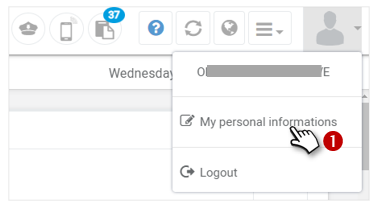
2. A window appears with 3 tabs:
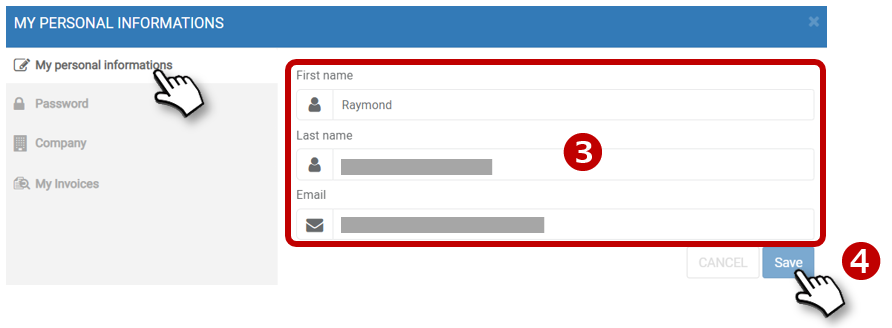
My personal information

3. Enter the first and last name and e-mail address of the account administrator.

4. Do not forget to REGISTER

Password

5. Enter the current password and the new password and confirm in accordance with the security instructions.
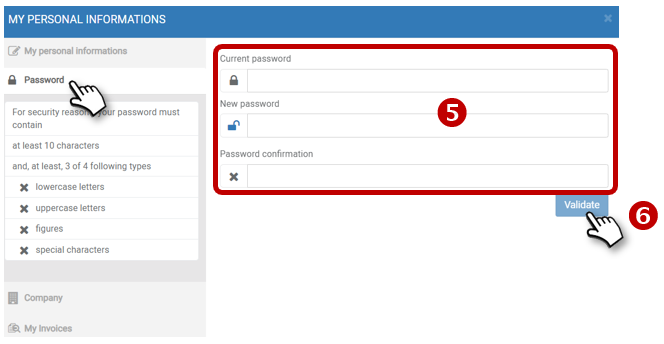
6. Don’t forget to SAVE

Company

7. Enter the name of the organisation, its SIRET, its VAT number and the URL of its website.

8. Don’t forget to SAVE

Invoices

Click to access to your invoices :
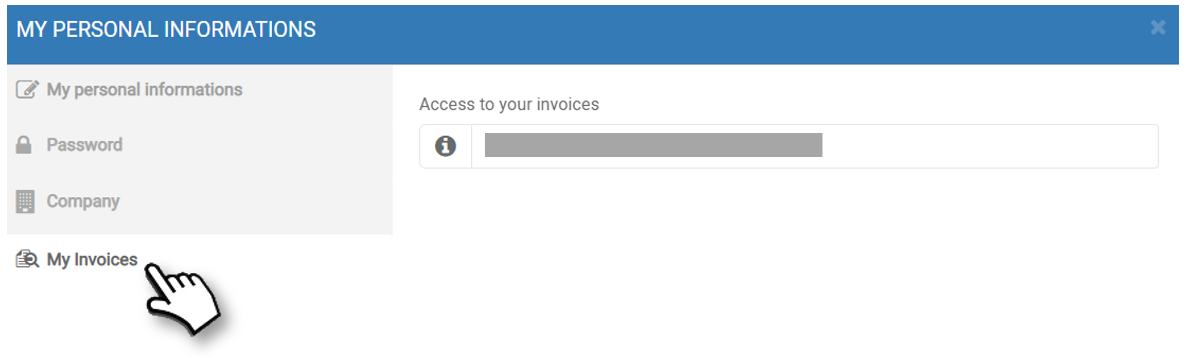
Procedures accessible to the ADMINISTRATOR ONLY

Display the list of employees
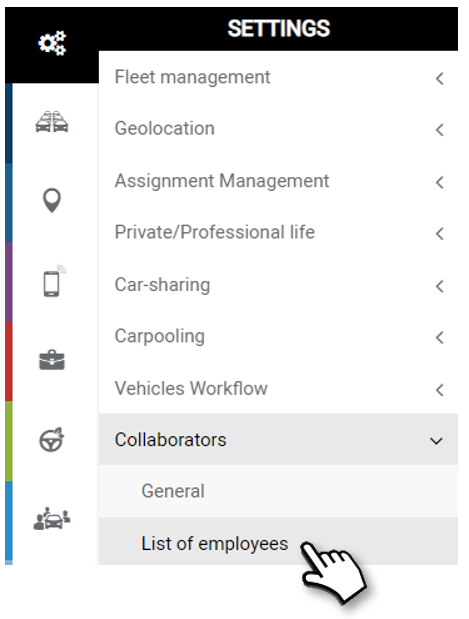
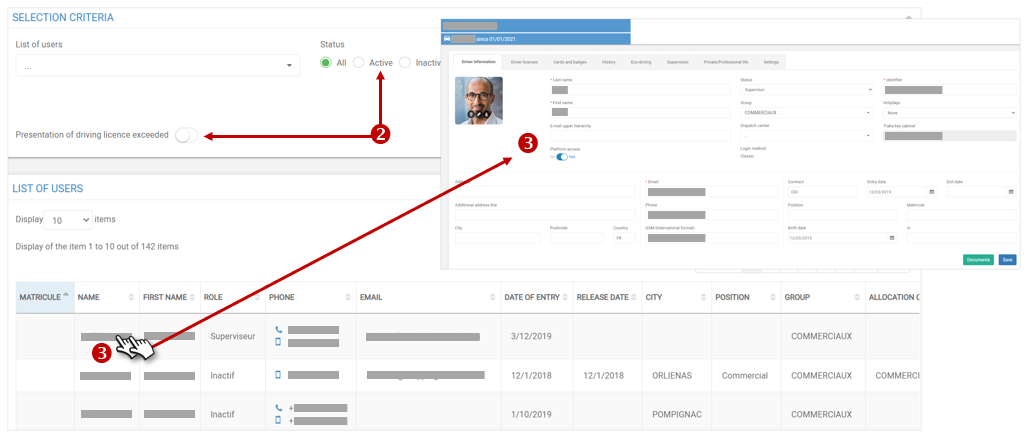
1. The list of collaborators (imported or entered) is displayed.

2. You can filter the list according to certain parameters.

3. Double-click on the line of a driver to display the detailed record.
Cet article vous a-t-il été utile ?
Updated on 14 March 2022
Management of access rightsVehicle display
Table of Contents
  • Editing account information
    • My personal information
    • Password
    • Company
    • Invoices
  • Display the list of employees

© 2026 SecuriTrack Helpcenter

Powered by WordPress

To the top ↑ Up ↑