
Create the products
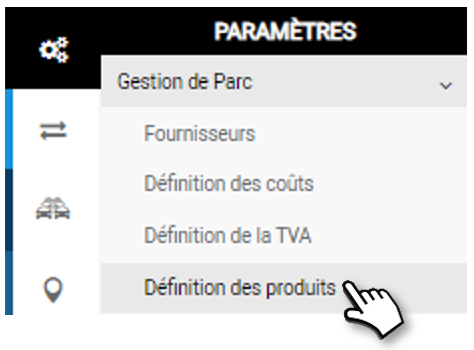
Creating the products allows to associate a cost and to make statistics and analysis of expenses and TCO.
What is a product?
A product is a material product (shock absorber, battery…) or immaterial product (rent, contribution…) that will have to be paid to a supplier and, therefore, to which will be associated a cost, and therefore a type of cost (or an addendum), and therefore a family of services.
This association will allow you to make statistical analyses and to calculate the TCO (Total Cost of Ownership) by gathering the costs by family of expenses.
How to create a product?
When creating a product, after giving a usage label, you must choose one of the types:
- Simple type: These are products that are not recurrent and are invoiced in the form of a simple purchase (a quantity and an amount), for example the purchase of 4 tires. A cost type is then associated with it.
- Compound type: This time it’s revenue tied to subscriptions, for example a long-term rental. When you create a compound product, you must choose to which Addendum Type you want to attach it. In fact, each addendum will have the business details corresponding to its type.
1. Enter the Product name.
2. Select the product family to which it belongs.
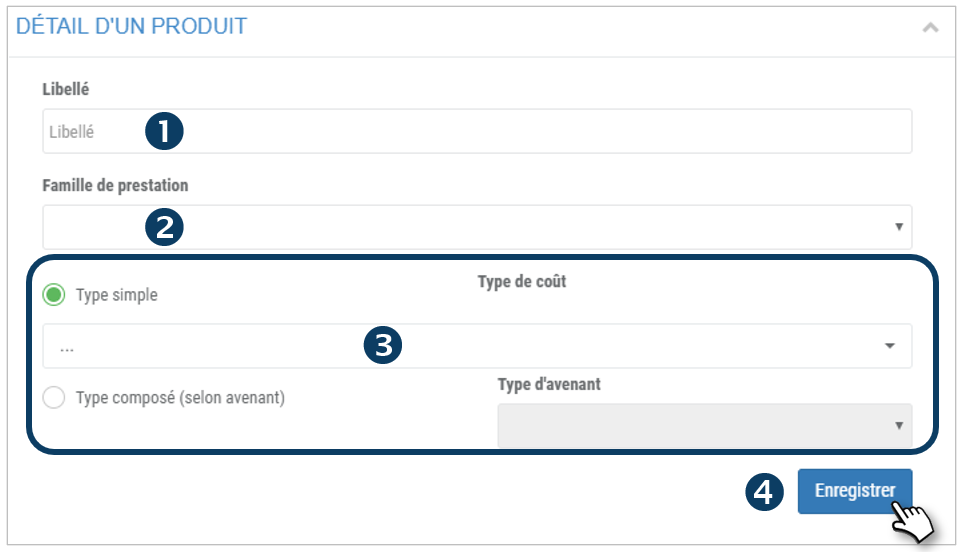
3. Select whether it is a simple or compound type and select the corresponding cost type or addendum.
4. Don’t forget to SAVE
5. The product is added to the list in the section below:
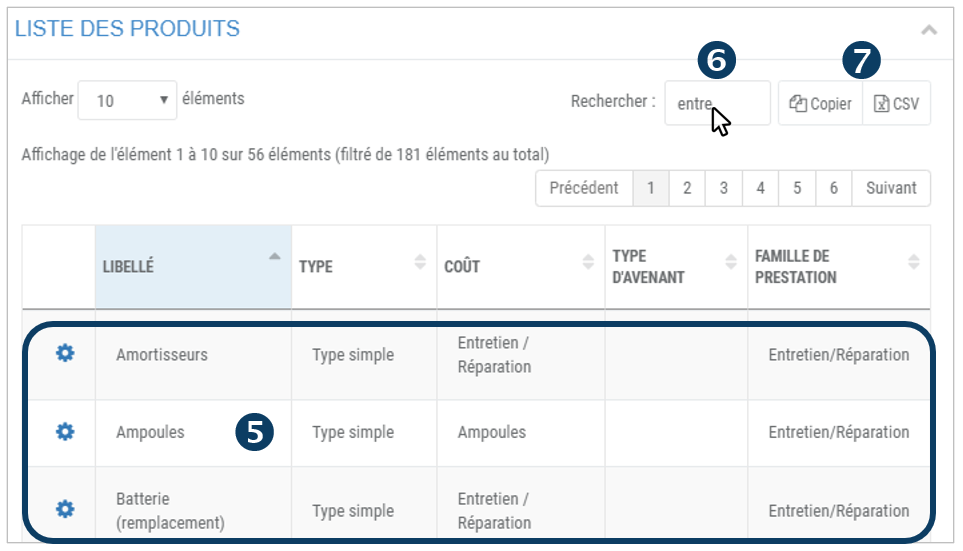
6. You can perform a keyword search by entering the beginning of the supplier you are looking for.
7. You can copy the content of the table or export it in .csv format.
Select a product
1. Double-click on the line corresponding to the Product or click on  and then click on EDIT or DELETE.
2. The product details are displayed in the upper part.
Edit a product
1. Make your changes
2. Click on EDIT to SAVE
Delete a product
1. Click to DELETE
2. The product is removed from the list.
Create a new product
Click on NEW then follow the instructions above.