
Skip to the content
SecuriTrack HelpcenterSecuriTrack Helpcenter
  • English
    • Français
    • Español
    • Português
  • English
    • Français
    • Español
    • Português

First steps

  • Your vehicles
  • Your drivers
  • Assignment of vehicles
  • Vehicle groups
  • Groups of drivers
  • Management of access rights
  • User management
  • Vehicle display

Geolocation

  • Home page
  • Driver charter
  • The routes
  • Monitoring areas
  • Trailers and dumpsters
  • History of events
  • Fuel level
  • Address book
  • Immobilizing a vehicle
  • Blocking the taximeter
  • Share location

Fleet Management

  • Dashboard
  • Vehicle file
  • Driver record
  • Statistics
  • TCO
  • History
  • Follow-up invoices
  • Follow-up costs
  • Follow-up contracts
  • Follow-up incidents
  • Follow-up of interventions
  • Follow-up of maintenance
  • Follow-up of damages
  • Follow-up of fines
  • Follow-up of vehicle defects
  • Suppliers
  • Definition of costs
  • Definition of VAT
  • Definition of products
  • Definition of the types of maintenance
  • Cards and badges management
  • Fuel station management
  • Allocation centers
  • Vehicle equipment
  • Equipment allocation
  • Driver’s license presentation
  • Multi-fleet manager

Fuel Monitoring

  • Consumption monitoring
  • Heavy trucks

Eco-driving

  • Setting
  • Data analysis
  • Challenges

Temperature Monitoring

  • Temperature management

Driver charter

Table of Contents
  • You can require your drivers to accept a charter (optional)

You can require your drivers to accept a charter (optional)

The signature of a “charter” can be imposed when connecting to the platform and when opening the Coonect Driver 2 mobile application. If the charter is not accepted, the user cannot access the platform or use its application.

Proceed as follows to activate the acceptance of the conditions.
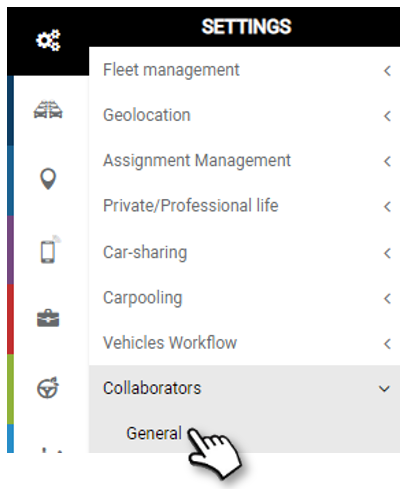
There can be 1 to 3 conditions:

1. Enter the text of the condition, as it will appear on the mobile application.

2. You can upload a document related to this condition for the driver to read.
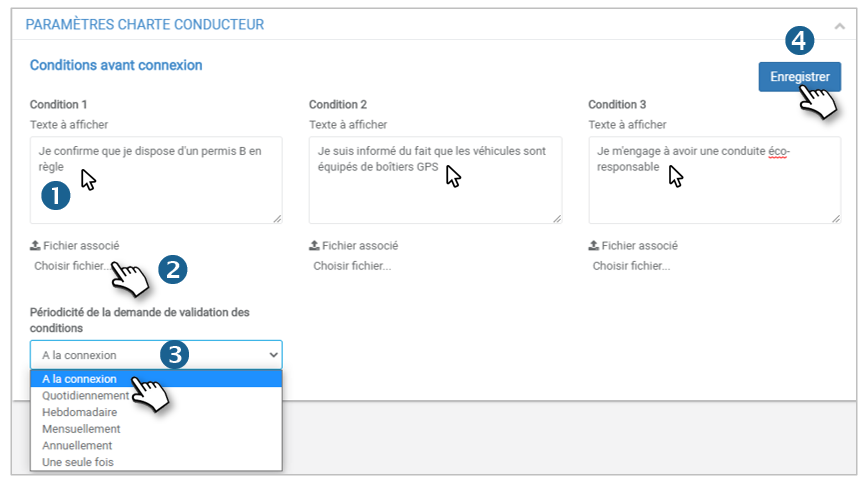
3. Select the desired display and acceptance periodicity.

4. Do not forget to SAVE.

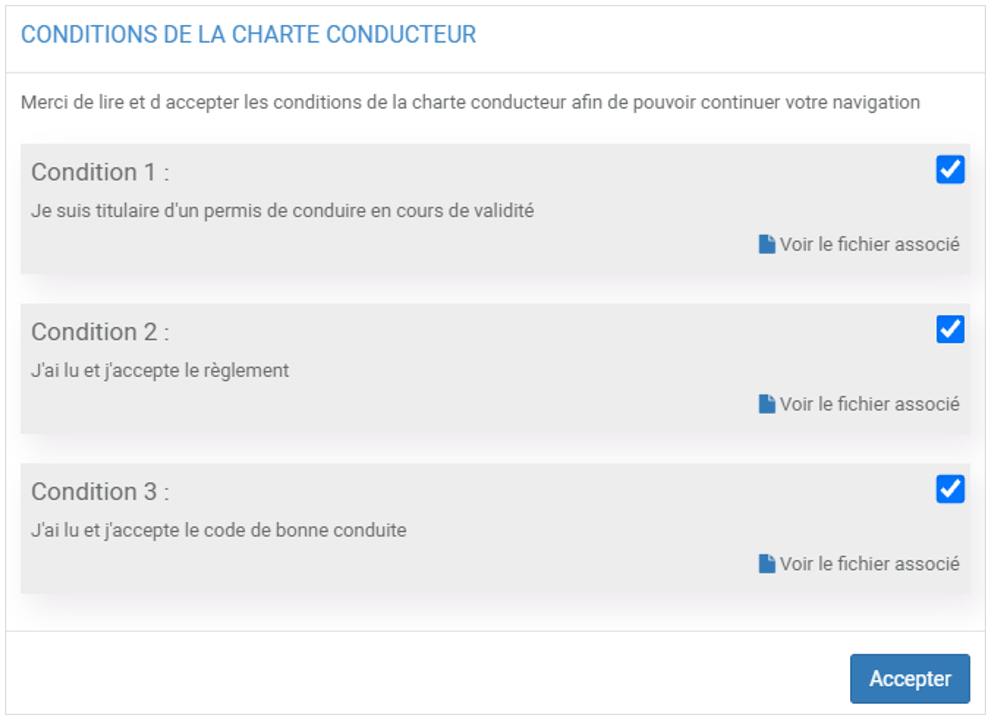
The page will appear like this on the platform:
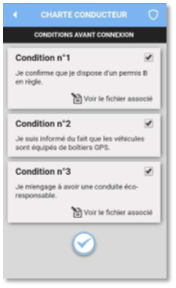
And on the mobile app:
Cet article vous a-t-il été utile ?
Updated on 14 March 2022
Home pageThe routes
Table of Contents
  • You can require your drivers to accept a charter (optional)

© 2026 SecuriTrack Helpcenter

Powered by WordPress

To the top ↑ Up ↑